![Wink Logo_Colour.png]](https://support.winktoolbox.com/hs-fs/hubfs/Wink%20Logo_Colour.png?height=40&name=Wink%20Logo_Colour.png)
Dashboard Documentation
To view the documentation that has been created by your internal team or a Wink Data Analyst,
- Open a dashboard you have access to
- Click on the Information icon in the top left hand corner
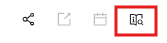
- The dashboard documentation will display in a text editor.
Note: if you have edit permissions, changes made to the documentation are auto saved.
Report Documentation
To view the documentation that has been created by your internal team or a Wink Data Analyst,
- Open a report you have access to
- Click on the Information icon in the top left hand corner
- The report documentation will display in a text editor. There is also a read only section showing the fields that have been included in the report. This is automatically generated.
Note: if you have edit permissions, changes made to the documentation are auto saved.